
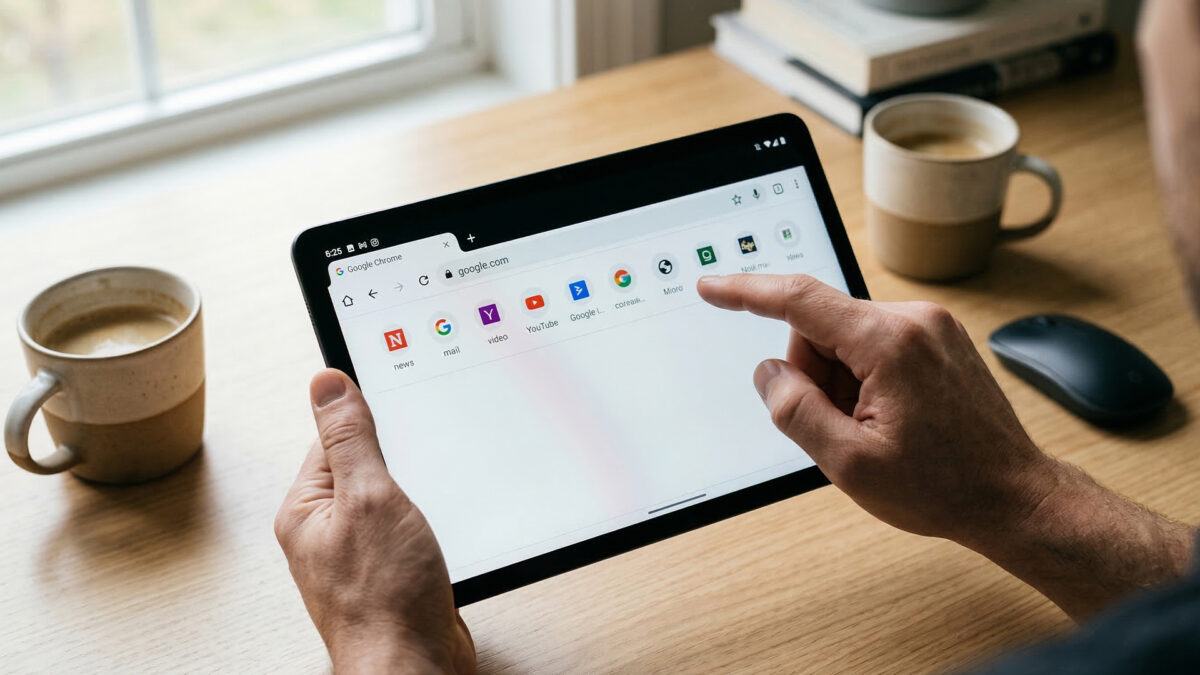
Google has begun rolling out a new update to its Chrome browser on Android that introduces a bookmarks bar for tablets and foldable devices, making it easier for users to access their favourite websites.
The feature, commonly used on desktop browsers, appears just below the address bar and displays saved websites for quick access. With a single tap, users can open frequently visited pages without navigating through the bookmarks menu.
Until now, Android users had to open the bookmarks section separately to reach saved links. The new bookmarks bar reduces that extra step, allowing quicker browsing and easier navigation—especially on devices with larger displays.
Users can also organise bookmarks into folders, helping them group websites based on categories such as work, news or entertainment. If the number of saved links exceeds the space available on the screen, an arrow icon appears at the end of the bar to show additional bookmarks.
The feature is available in the latest version of Chrome for Android and can be enabled in the browser’s settings. Users can turn it on by going to the “Appearance” section and selecting the option to show the bookmarks bar. However, the feature is mainly designed for tablets and foldable phones, meaning it may not appear on smaller smartphone screens.
As tablets and foldables become more common for productivity and multitasking, companies are increasingly adapting software to take advantage of bigger screens.
Also Read: upGrad to acquire Unacademy